
Blogs
Printer Paper Jams Explained and How to Clear Them Safely
Printer Paper Jams Explained and How to Clear Them Safely
One of the most common problems that people with printers have is paper jams. They can happen out of the blue and stop printing at home or at work. Paper jams can be annoying, but they are usually caused by simple things like how you handle the paper, the state of the printer, or the way the room is set up. If you know why paper jams happen and how to fix them the right way, you can stop them from happening again and keep the printer from getting damaged.
Why Printers Get Paper Jams
When the printer can't smoothly feed paper through its internal channel, it frequently becomes stuck. This can happen for a number of reasons, such as paper that is not oriented properly, the wrong type of paper, or debris inside the printer. Even little problems, such as uneven stacks of paper or curled edges, might mess up the feeding process.
The environment also has an effect. When the air is very humid, paper can stick together. When the air is very dry, static can build up, which can make sheets feed the wrong way.
Mistakes People Make When Handling Paper
One of the most common reasons for paper jams is loading the paper incorrectly. If you put too much paper in the tray, mix up different sizes of paper, or don't set the paper guides appropriately, the sheets may go into the printer at an angle. Using paper that doesn't meet the printer's required specs might also cause jams. Rollers and other parts may not work well if the paper is too thick, too thin, or broken.
Internal Rollers and Feed Systems
Rubber rollers help printers hold and move paper through the printing route. Over time, these rollers can get dusty or lose their grip from use. When rollers can't draw paper evenly, sheets can get stuck or clump up inside the printer. The paper path can also be blocked by things like ripped paper pieces, staples, or dust that builds up. If not removed, even simple things might cause jamming over and over again.
Removing a Paper Jam Safely
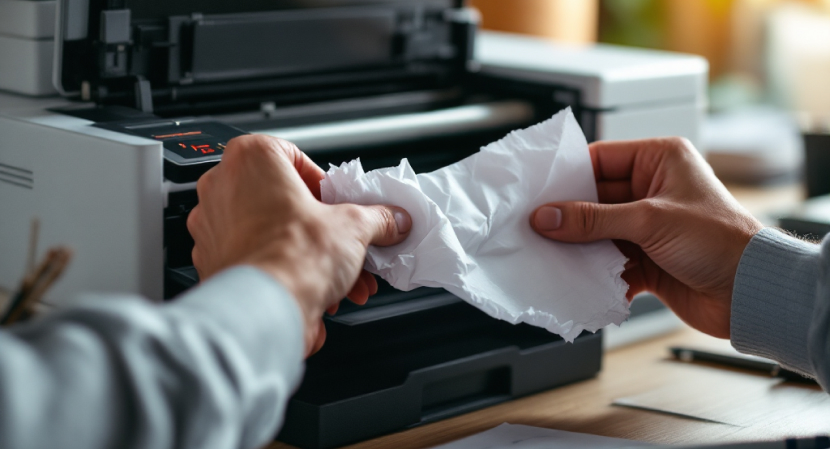
It is crucial to properly clear a paper jam so that you don't damage the parts within. Before you try to get rid of jammed paper, always switch off the printer and disconnect it. This lowers the chance of electrical problems and stops moving parts from hurting people. Slowly open the printer covers and look for the paper that is stuck. Use both hands to gently pull the paper in the direction it usually goes to avoid tearing. Don't force the paper if it doesn't want to move; this could break the rollers or sensors. Check for small bits of paper that may still be within after taking it out. If you leave behind even small pieces, they could cause subsequent clogs.
Things to Look for After Clearing a Jam
After you take off the visible paper, check places where jams often happen, like the paper tray, the back access panel, and the output area. Make sure the stack of paper is tidy and lined up when you reload it. Make sure all the covers are closed tightly before you turn the printer back on. If any access panel is still open, many printers will not start printing again.
Stopping Paper Jams in the Future
To keep paper from getting stuck, you need to store and handle it correctly. Keep paper in a dry, flat place, and don't use sheets that are wrinkled or torn. Lightly fan the stack of paper before loading it to cut down on static and stickiness. It also helps to do regular maintenance. Cleaning the rollers that are easy to reach with a lint-free cloth, as the maker suggests, will help the paper feed better. Don't put printers in places where there is a lot of dust or moisture, as this can damage the quality of the paper.
When Jams Happen Again and Again
If paper jams happen a lot, even when you are careful with the printer, it could be because the rollers or other parts inside are worn out. In these situations, looking at the printer's user manual for maintenance tips can help you figure out what might be wrong. If the printer keeps jamming, it could mean that it is being used with paper that it can't handle or that it is being used with too much paper.
Careful Handling Reduces Paper Jams
Most of the time, paper jams happen because of little, easy-to-fix problems, not because of big problems with the printer. Users may reduce disruptions and keep their printers running smoothly over time by knowing what causes jams, clearing them gently, and following the right way to handle paper.